

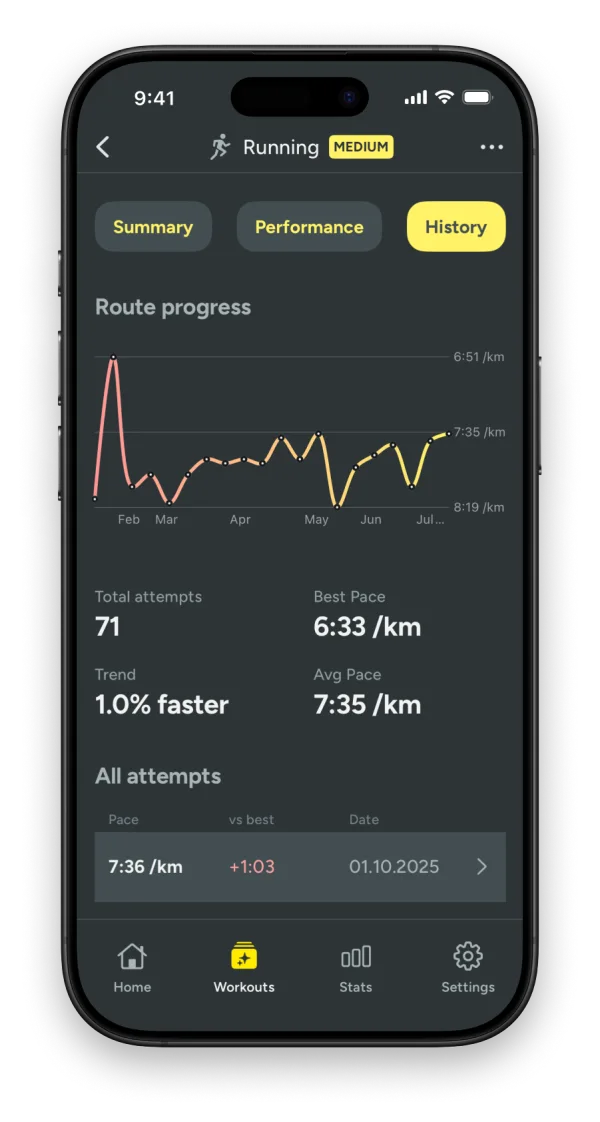
Why the same route is the fairest test
Average pace across different runs tells you little. Hills, surface and distance all change the number. The same route removes those differences, so what is left is you. If last month's loop took the same time at a lower heart rate, you got fitter, and you can see it.
What you see in Kiiro
- Route progress: every run on a familiar route is matched automatically and added to its history.
- Pace, heart rate and effort for each attempt, side by side.
- Personal bests highlighted as you set them.
- Trend charts that show the direction over weeks and months.
How matching works
Kiiro compares the shape of each GPS route with the routes you have run before. When a new one follows the same path closely enough, it joins that route's history. There is nothing to set up and nothing to tag.
Your routes come from the workouts you record with Apple Watch and are read through Apple Health, with your permission. See the privacy policy for exactly what is stored.
Apple Watch has its own live version of this, called Race Route. See how to compare runs on the same route with Apple Watch.
Progress you can trust
Route comparison answers "am I improving?". Training load answers "am I doing the right amount?" and heart-rate zones answer "at the right intensity?". Together they cover the three questions most runners actually have.